

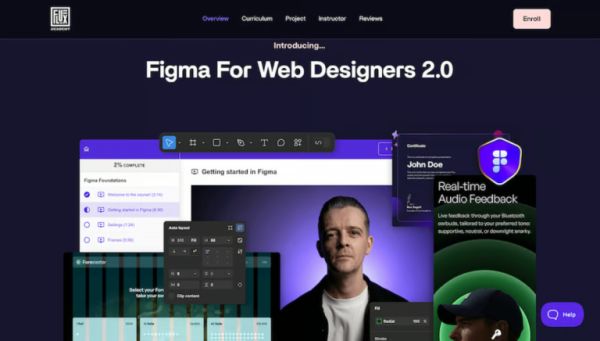

Matt Brunton brings two decades of creative experience as a Designer and Art Director with the world’s largest companies and agencies. Today he works as Creative Director for Flux Academy and Studio Spielen—his new sports brand design studio, founded in 2024.
Figma Foundations
Welcome to the course! (3:14)
How does mentoring work?
UI updates (0:51)
Getting ed in Figma (8:30)
Settings (1:24)
Frames (5:56)
Grids and guides (10:57)
Moving and navigating (8:05)
Text (13:01)
Shapes and colors (31:36)
Pencil and Pen (14:19)
Comment (2:57)
Actions (and keyboard shortcuts) (4:38)
Layout basics (30:57)
Image/video (20:49)
Organising your files (5:23)
Components and Prototyping (an introduction) (26:53)
Auto layout
Auto layout: Introduction (12:27)
Auto layout: Creating responsive designs Pt. 1 (Desktop) (51:01)
Auto layout: Creating responsive designs Pt. 2 (Mobile) (10:17)
Styles and variables
Styles (and logo design) (35:23)
Variables (26:45)
Illustration
Figma Draw (1:05)
Effects (hero section imagery) (34:41)
Hero section buttons and layout (33:36)
Features section: Layout (28:55)
Features section: Adding imagery (9:36)
Features section: Device mockup (Figma community) (20:49)
Masks (11:04)
Gradients (30:35)
Finessing the design so far (8:20)
Grids (4:30)
Boolean operations (18:37)
Shape Builder (2:40)
From wireframe to final design
Pricing cards wireframe (20:23)
Pricing cards visual design Pt.1: styling (19:36)
Pricing cards visual design Pt.2: details (35:58)
UI slider wireframe (19:06)
UI slider visual design (39:45)
Components, variables, and prototyping
Prototyping: Links (Navigate to, Scroll to) (15:24)
Components, variables, and prototyping (FAQ) (35:50)
Components, variables, and prototyping (Feedback modes) (54:36)
Variable modes (16:29)
Responsive layouts
Mobile homepage design (54:27)
Mobile menu: design (38:00)
Mobile menu: prototyping (19:13)
Mirror (Figma mobile app) (1:36)
Min/max width (and desktop fixes) (11:28)
Plugins
Plugins (9:51)
Hand-off and collaboration
Exporting assets (8:07)
Collaboration (7:05)
Handing off to developers (4:23)
Other Figma file types
FigJam and Figma Slides (1:35)
Figma Buzz (1:06)
Figma Sites (0:51)
Certification and next steps
Certification & Project brief (3:16)
What’s next? (1:43)
Bonus
Figma AI (time saving features) (12:35)
There are no reviews yet.


You must be <a href="https://wislibrary.net/my-account/">logged in</a> to post a review.