

Course Kickoff
How This Course is Organized & Tips to Help You Succeed
Downloading and Setting Up Your Course Material
STYLE MASTERCLASS
“The Eye’s The Limit” or Why This Section is So Critical
How Would You Describe This Style? (1:45)
My 6 Secrets to Decoding Any Processing Style (8:23)
How I use Lightroom to “See” With Super-Human Abilities (3:42)
4a. Crucial Colors – Part 1 (13:11)
4b. Crucial Colors – Part 2 (6:53)
The 3 Most Useful Techniques for Emulation (or What to Do Without a Before & After Image) (4:36)
Style-Breakdown.pdf [CHEATSHEET]
Game of Tones: Develop Your Own “Winterfell” Preset (11:01)
Pinterest Lightning Round [STYLE BREAKDOWN] (13:48)
Your Turn! How to Building Your Own Kick-Ass Styles (6:49)
Your Questions + Answers [Workshop 1]
TONE MASTERCLASS
Tone School Part 1: The Right Tools for the Right Job (19:57)
Tone School Part 2: The 3 Rules of Tone Curves (11:12)
The Tone Grid Part 1 – Understanding The Zones of Exposure (11:15)
The Tone Grid Part 2 – Applying The Zones of Exposure (12:42)
My Top Secret Method for Adjusting Curve Points (9:42)
Emulating Tone Curves in Black & White [EXERCISE] (9:00)
Your Questions + Answers [Workshop 2]
COLOR CAST MASTERCLASS
Why some tools are better for building consistent color casts (10:52)
Color Cast Mixology: Part 1 (6:27)
Color Cast Mixology: Part 2 (8:11)
The Three Kinds of Single-Hue Color Casts (13:56)
Building Multi-Hue Casts with Complimentary Hues (8:04)
How to Adjust Skin Tones Using Just Color-Channel Curves (9:20)
The Secret to Building Color-Channel Only Curves [EXERCISE] (12:13)
Recreating the Tone Curves for SP-06 [EXERCISE] (13:13)
Your Questions + Answers [Workshop 3]
COLOR PALETTE MASTERCLASS
The Fun (and Surprising) World of Hue, Saturation & Luminance (8:57)
The Role of the HSL panel, the R/B/G Primaries, & Camera Profiles in My Color Flow (11:10)
HSL Cheatsheet.png [CHEATSHEET]
Mastering Skin Hues (17:19)
Mastering Sky & Sea Hues (6:47)
Mastering Foliage Hues (9:24)
Advanced Strategies for Building Color Palettes (6:57)
Your Questions + Answers [Workshop 4]
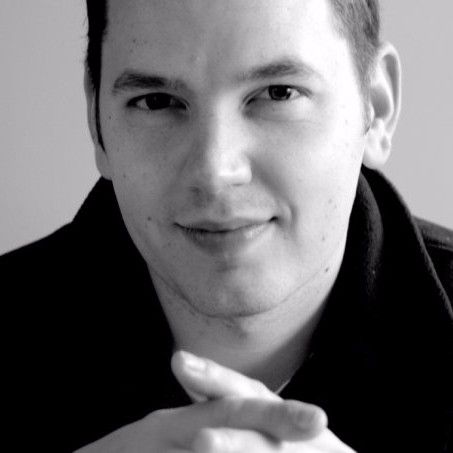
Nate Johnson is a preset designer, Lightroom consultant and creator of natephotographic.com. His NATEcam preset packs are used by over 80,000 photographers to add stunning tone and color to their work. He’s regularly sought out as an expert on style development, film emulation and RAW processing by photographers all around the world.
There are no reviews yet.
From multipurpose themes to niche templates

You must be <a href="https://wislibrary.net/my-account/">logged in</a> to post a review.